Monitoring and debugging pre-aggregates
Track materialization status, understand why queries miss pre-aggregates, and manage refreshes
You can monitor pre-aggregates from Project Settings > Pre-aggregates. This section has two tabs: Materializations for tracking status and Analytics for query hit/miss statistics.
Materialization status
The Materializations tab shows all your pre-aggregates and their current state.
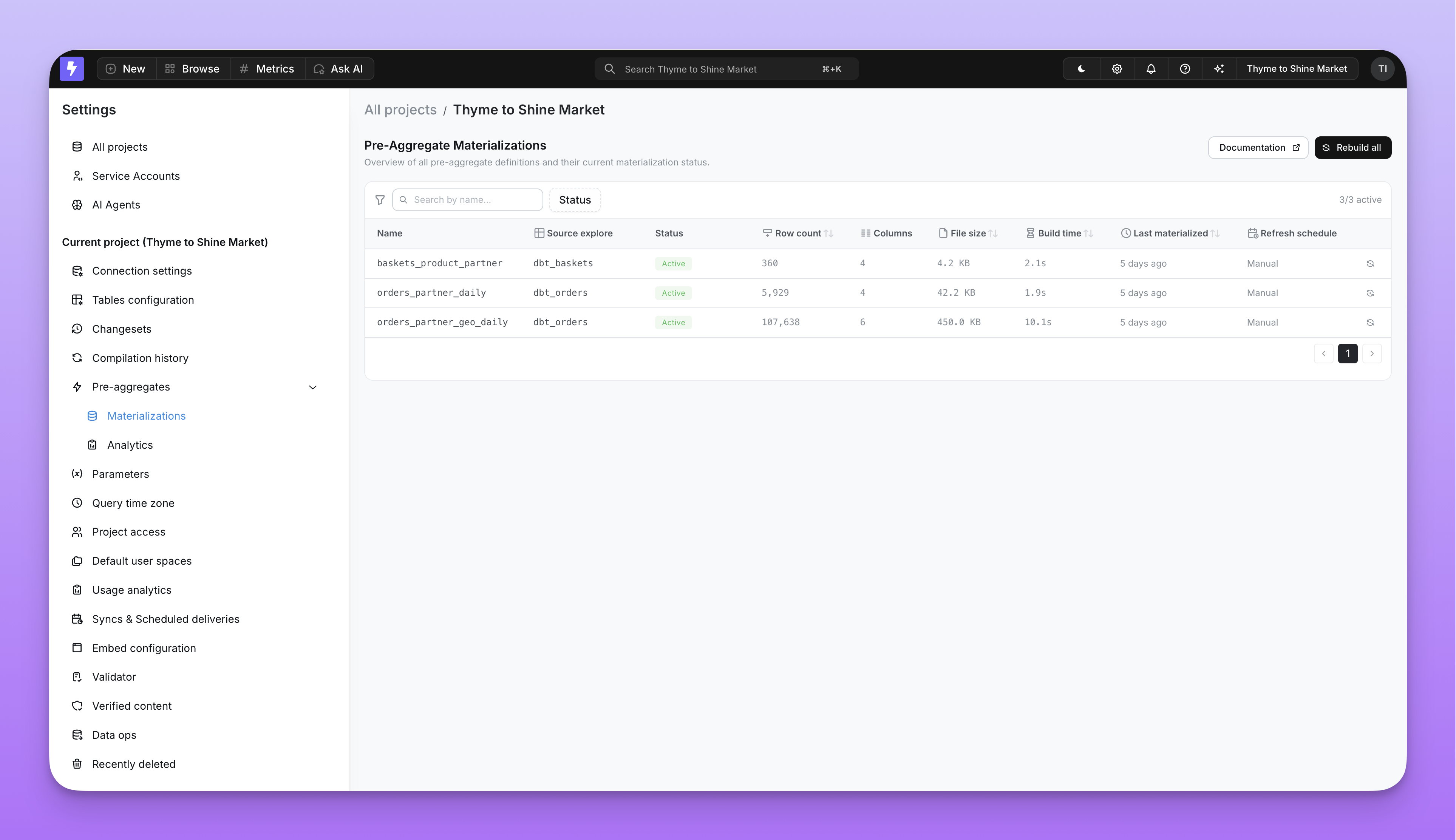
Each pre-aggregate has a materialization lifecycle:
| Status | Meaning |
|---|---|
| Active | The materialization is live and serving matching queries. Only one materialization can be active per pre-aggregate at a time. |
| In progress | A new materialization is being built. The previous active materialization continues serving queries until the new one completes. |
| Failed | The materialization encountered an error. Check the error message for details. |
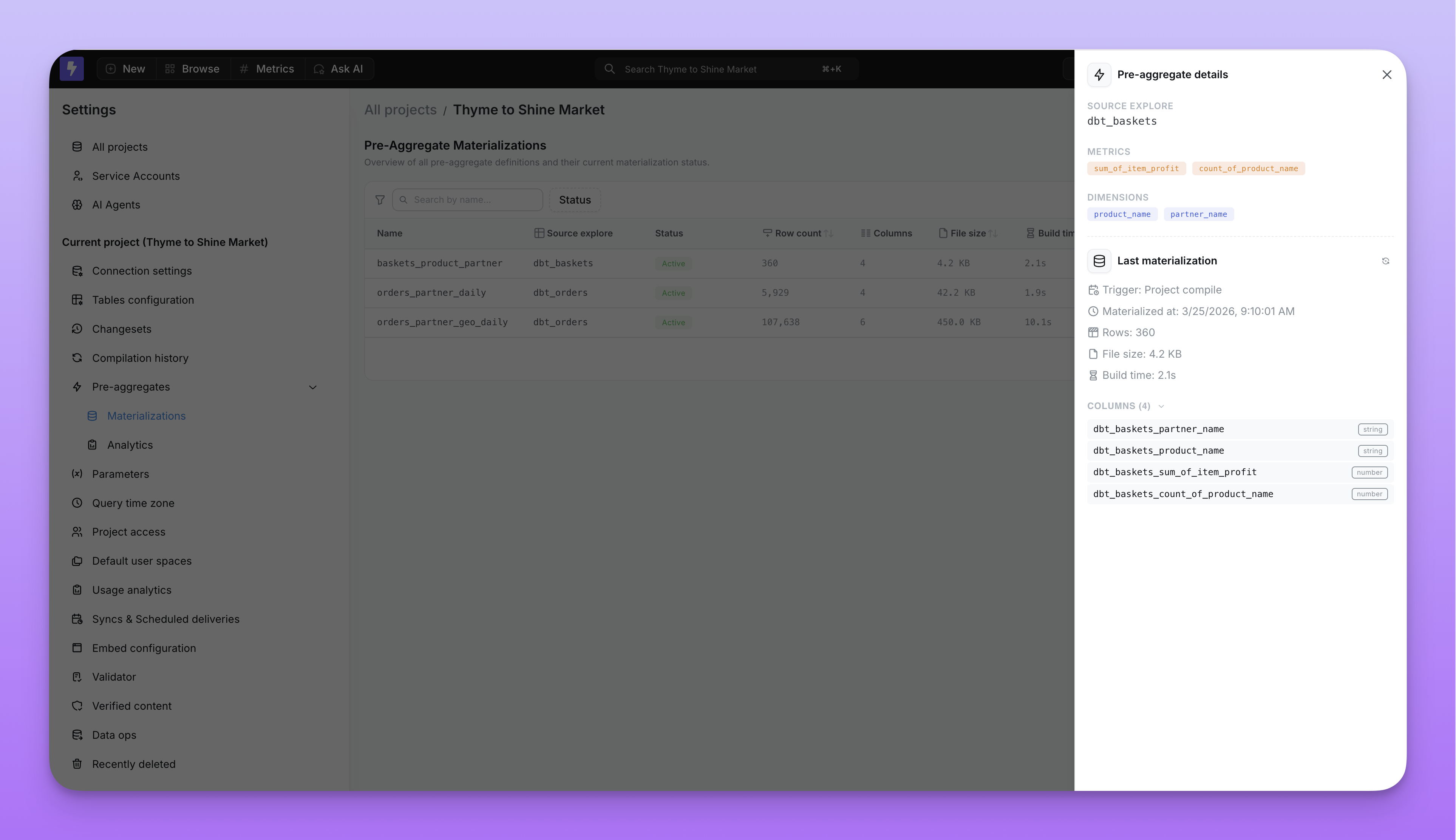
You can click on any pre-aggregate to see its full details, including row count, file size, and duration.
Hit and miss statistics
The Analytics tab tracks how often queries hit or miss pre-aggregates on a daily basis.
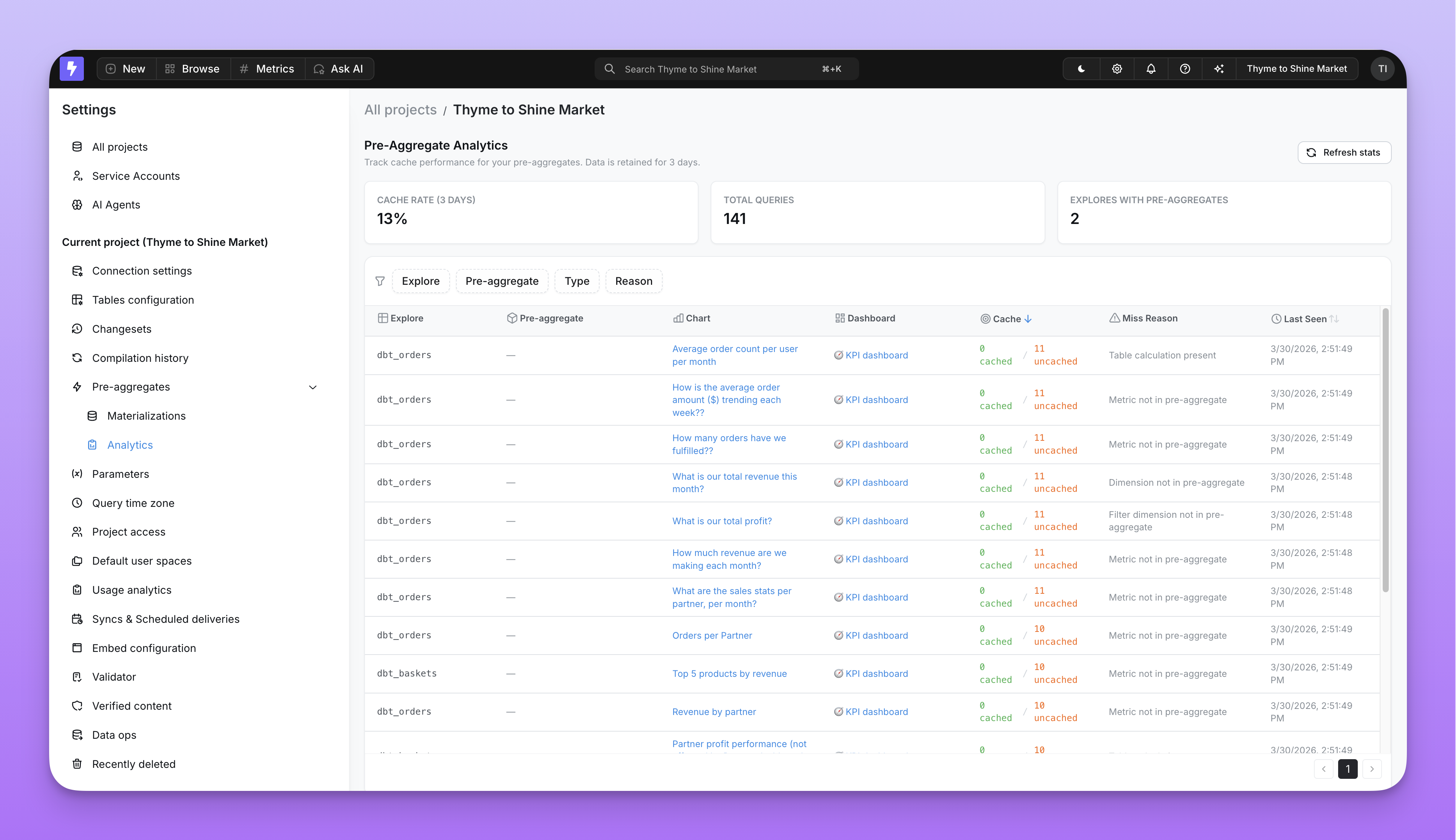
You can break down the statistics by:
- Explore name — which explores are benefiting from pre-aggregates
- Query context — whether the query came from a chart, dashboard, or the explorer
- Chart or dashboard — which specific saved content is hitting or missing
Use these stats to identify opportunities for new pre-aggregates or to tune existing ones.
Why a query misses a pre-aggregate
When a query doesn't match any pre-aggregate, Qyra records the specific reason. Understanding these reasons helps you decide whether to adjust your pre-aggregate definition or accept the warehouse query.
| Miss reason | What it means | How to fix it |
|---|---|---|
| No pre-aggregates defined | The explore has no pre-aggregates configured. | Add a pre_aggregates block to your dbt model. |
| Dimension not in pre-aggregate | The query includes a dimension not covered by any pre-aggregate. | Add the missing dimension to your pre-aggregate's dimensions list. |
| Metric not in pre-aggregate | The query includes a metric not covered by any pre-aggregate. | Add the missing metric to your pre-aggregate's metrics list. |
| Filter dimension not in pre-aggregate | A filter references a dimension not in the pre-aggregate, or a model required_filters target is missing from it. | Add the filter dimension to the dimensions list — even if it's only used for filtering, not grouping. |
sql_filter field not in pre-aggregate | The model's sql_filter references a field (for example ${customers.segment}) that isn't a covered dimension of the pre-aggregate, so the filter cannot be rewritten onto the materialization. | Add every field referenced by sql_filter to the pre-aggregate's dimensions list. See sql_filter and pre-aggregates. |
| Pre-aggregate filter not satisfied | The query's filter doesn't match the pre-aggregate's, or the pre-aggregate's filters block targets a required-filter field. | Narrow the query filter and match the pre-aggregate filter's operator, remove any pre-aggregate filters on required-filter fields, or create another pre-aggregate for that query pattern. |
| Non-additive metric | The query includes a metric type that can't be re-aggregated (for example, count_distinct or median) and it isn't an exact match of any pre-aggregate. | Define a pre-aggregate whose dimensions and granularity match how the metric is queried, so the query can serve as an exact match. See supported metric types. |
| Non-additive metric: select exactly the pre-aggregate dimensions | The query includes a non-additive metric (count_distinct, median, percentile, etc.) and the pre-aggregate's dimensions cover it, but the query didn't select every pre-aggregate dimension at exactly its granularity — so no exact match. | Select every one of the pre-aggregate's dimensions and use its exact granularity, or drop the non-additive metric. |
| Custom SQL metric | The query includes a non-reaggregatable custom SQL metric, such as a number metric. | Use a supported metric type, or let the query run against the warehouse. |
| Granularity too fine | The query requests a finer time granularity than the pre-aggregate provides (for example, hour on a day pre-aggregate). | Either lower the pre-aggregate's granularity or accept the warehouse query for this use case. |
| Time frame not derivable | The query's time granularity can't be safely rolled up from the pre-aggregate's stored grain (for example, deriving calendar months from a week pre-aggregate — weeks cross month boundaries). | Store the pre-aggregate at a finer or aligned grain (day serves week, month, quarter, year). |
| Custom dimension present | The query uses a custom SQL dimension. | Custom SQL dimensions created in the UI are not supported. Write them back to the semantic layer. |
| Custom metric present | The query uses a custom metric. | Custom metrics defined in the Explorer are not supported. Write them back to the semantic layer. |
| SQL table calculation present | The query includes a raw SQL table calculation. | Use a formula table calculation instead, or let the query run against the warehouse. |
| Bypassed by user | The user explicitly bypassed the pre-aggregate cache for this query. | No action needed — this is intentional. |
| Materialized explore not found | Qyra couldn't resolve the pre-aggregate's generated explore, usually because the source explore has changed shape since the pre-aggregate was last compiled. | Recompile or redeploy the project so the pre-aggregate explore is rebuilt. |
| No active materialization | A pre-aggregate matched the query, but no materialization is active yet — the first build hasn't completed or the last one failed. | Wait for the running materialization to finish, or check the materialization status and re-run a failed build. |
Dashboard pre-aggregate view
You can also monitor and manage pre-aggregates directly from any dashboard. Open the dashboard menu to access pre-aggregate options.
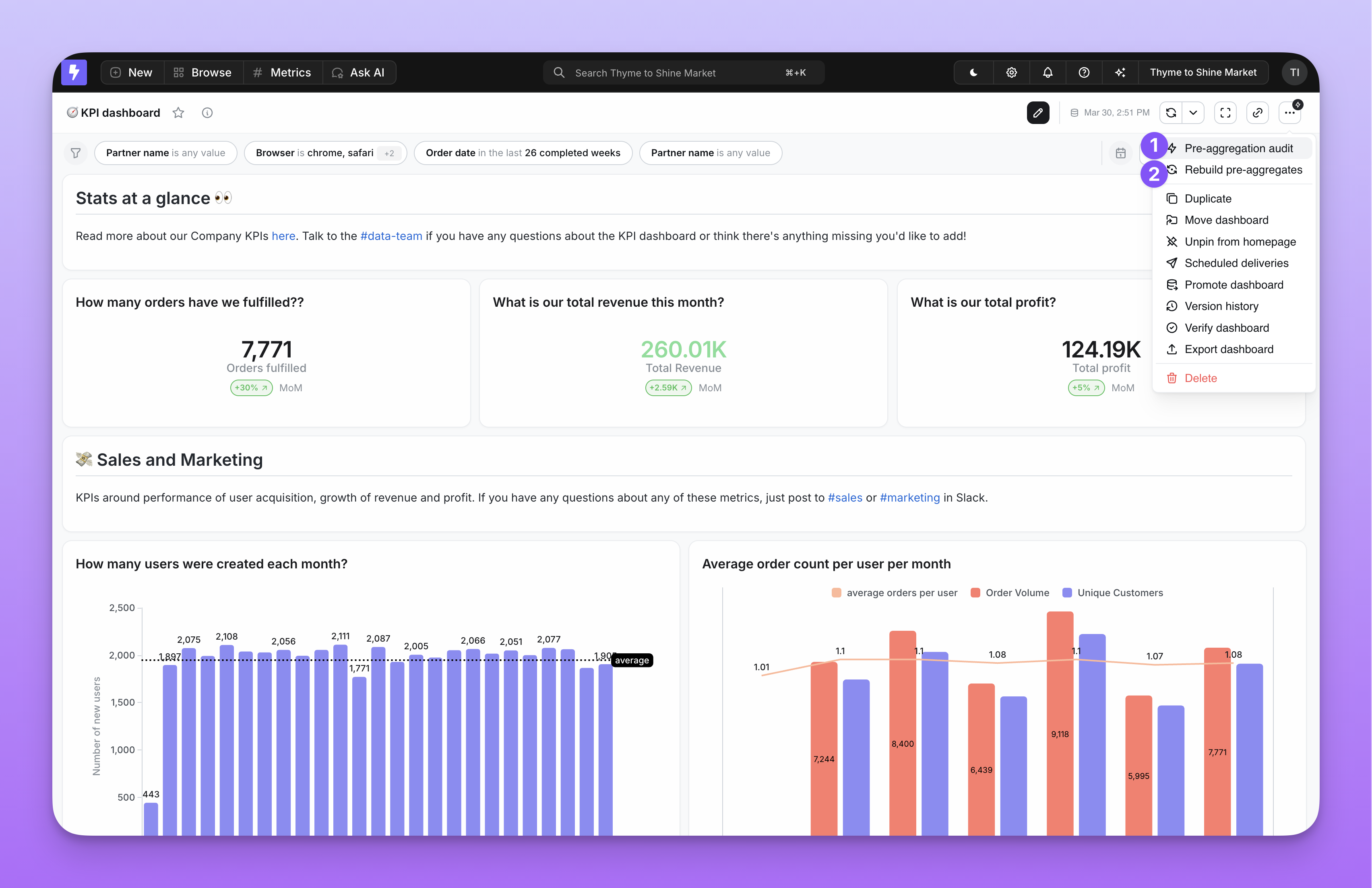
- Pre-aggregation audit — Shows which tiles in the dashboard are hitting or missing pre-aggregates, and why. Available to editors, developers, and admins.
- Rebuild pre-aggregates — Triggers a manual re-materialization for the pre-aggregates used by this dashboard. Available to developers and admins only.
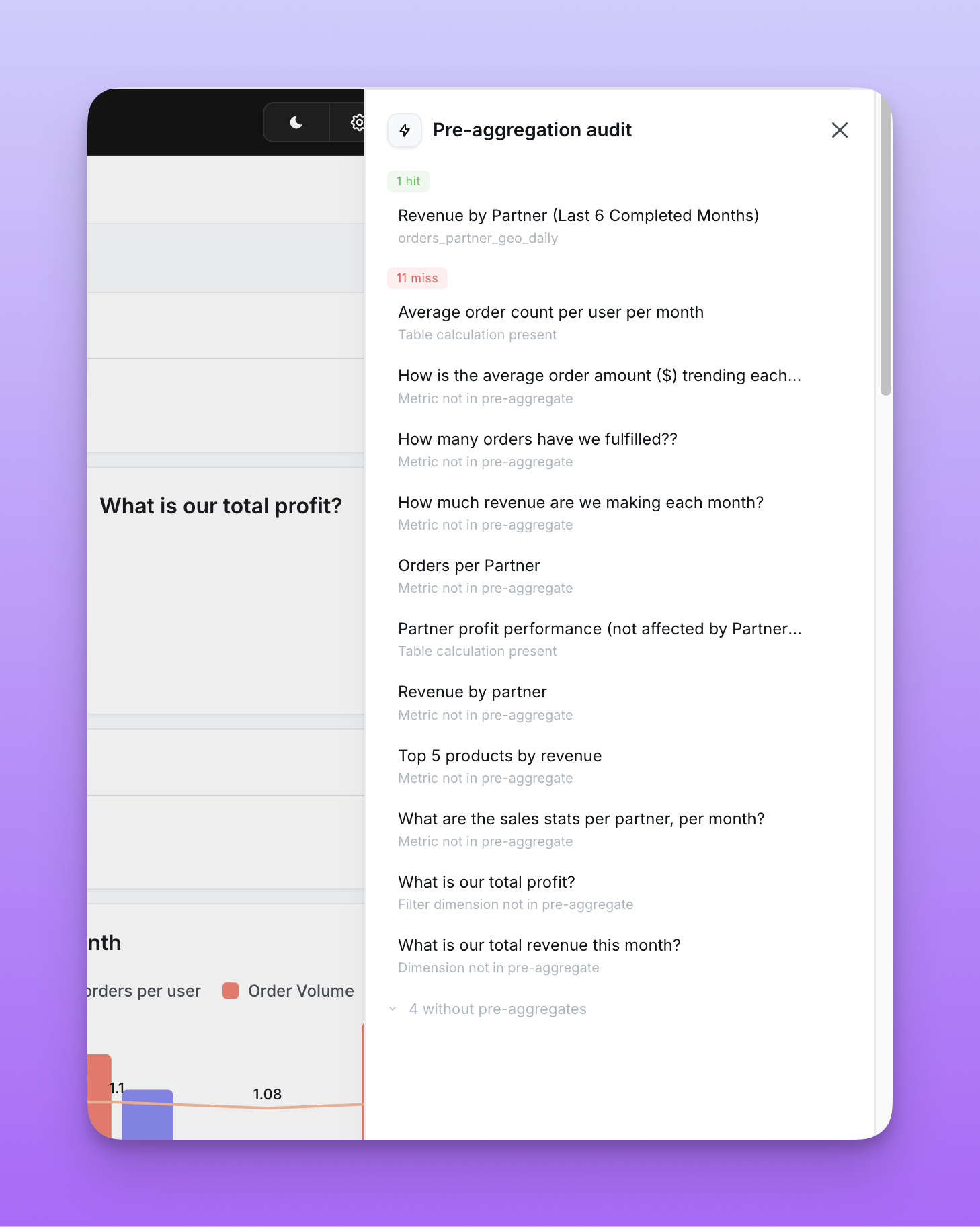
The same audit data is available from the terminal via qyra pre-aggregate-audit, which is useful for scripting, project-wide sweeps, and CI gates.