Creating multiple projects
Create, switch between, and delete the projects inside your Qyra organization
Create a new project
Only users with organization admin permissions can create new projects.
To create a new project, navigate to Organization settings --> All projects --> Create new.
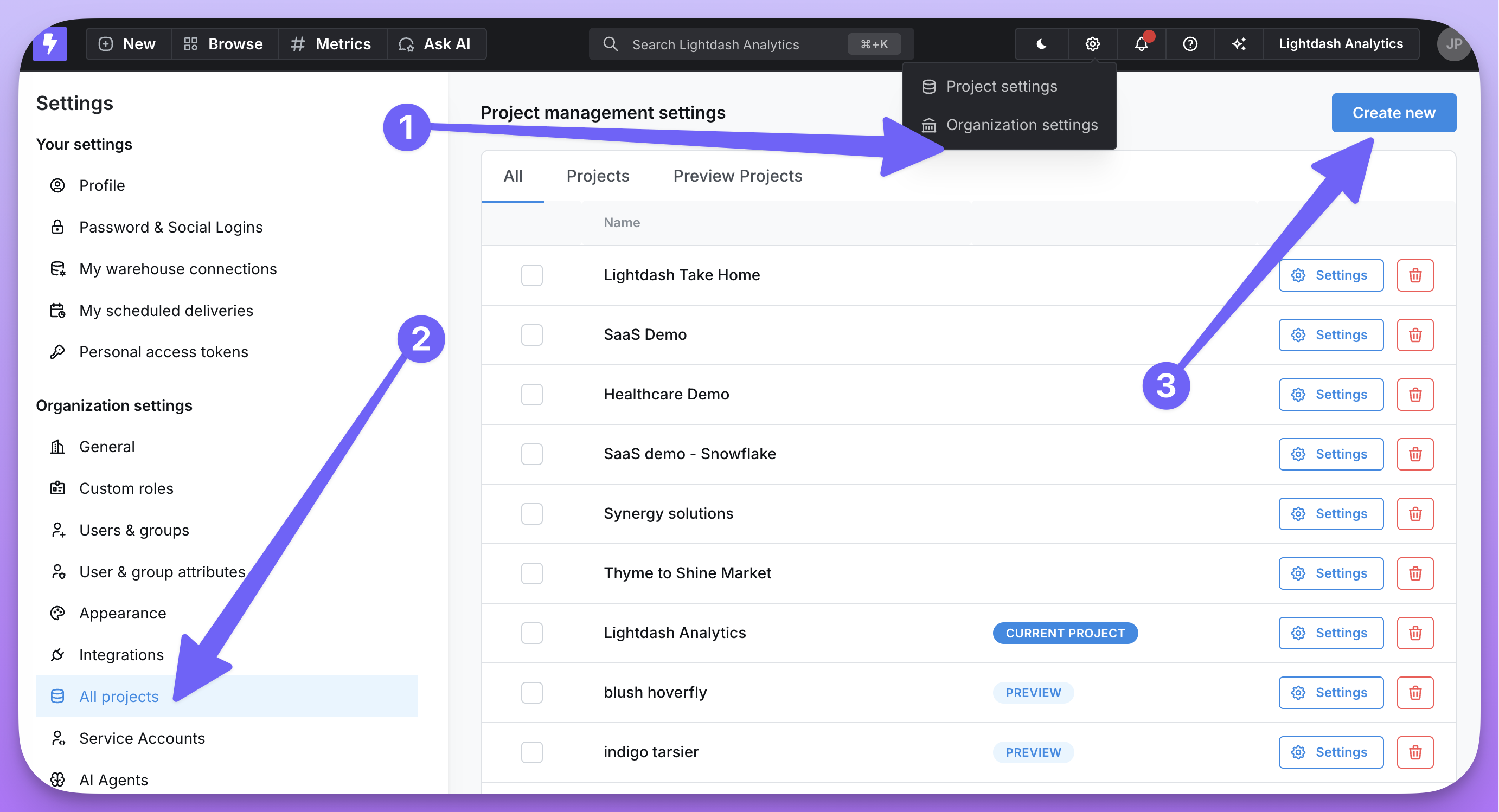
Give your project a name, then get started on setting up the dbt and warehouse connection.
Set up project connections
You'll need to define the warehouse connection for your new project, and the dbt project details if you're using dbt.
Not sure what it all means? Don't worry, we've written a step-by-step guide that will help you out.
Switch between projects
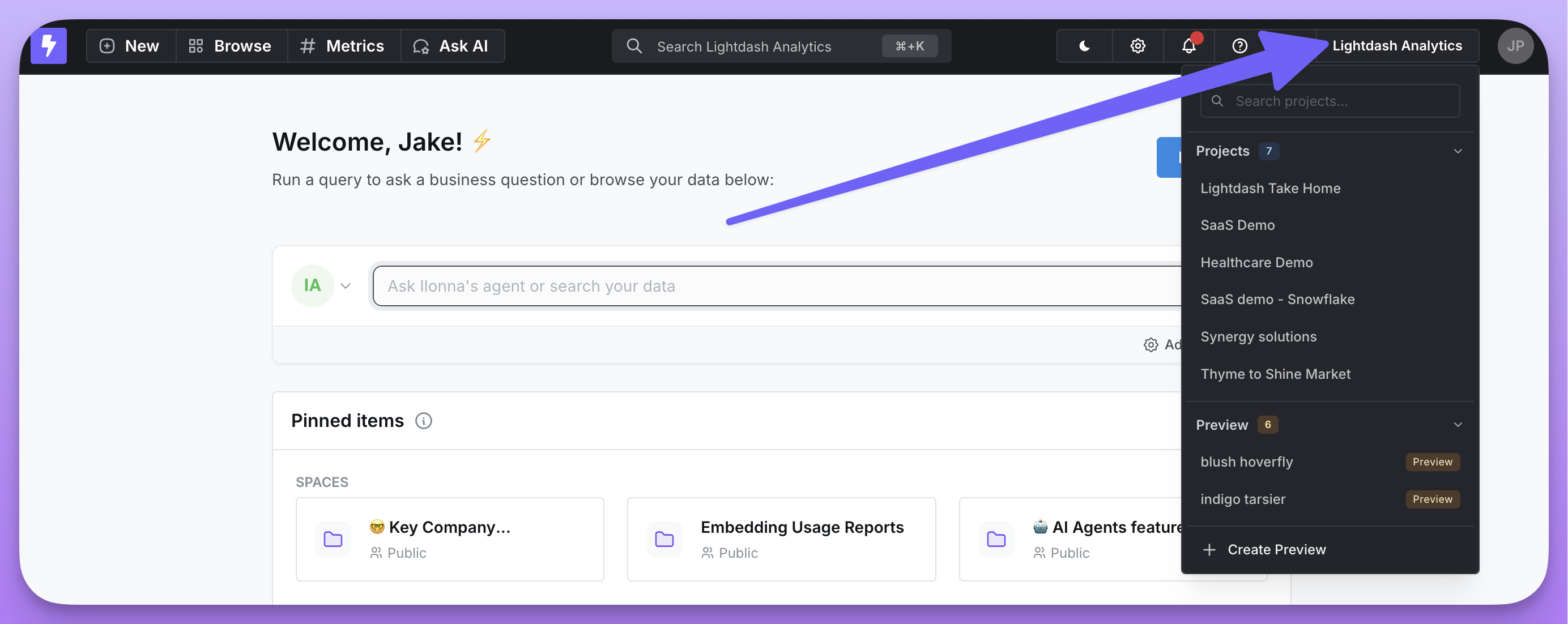
Once you've got multiple projects set up, you can easily switch or search through the projects in your organization using the drop-down list in the top corner of your screen.
Delete a project
Only users with admin permissions can delete projects.
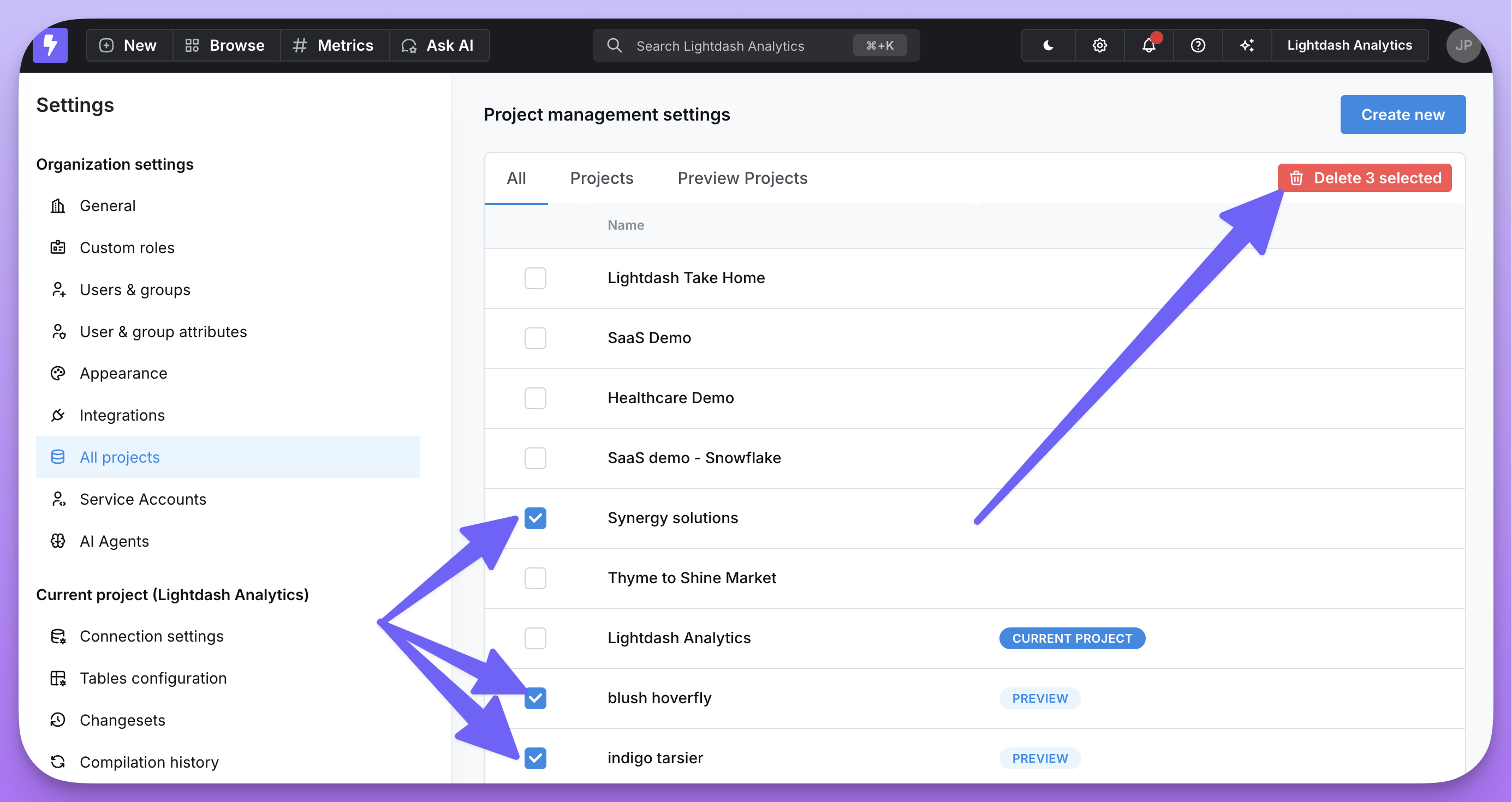
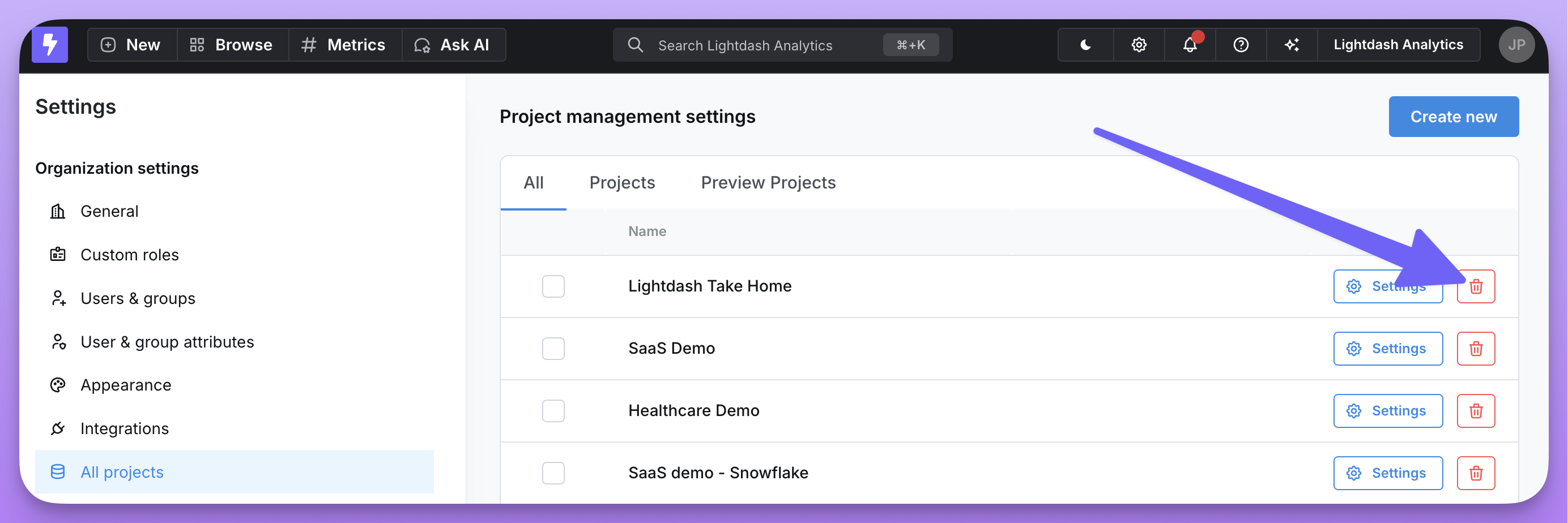
Don't need a project anymore? That's okay - you can easily delete projects individually by clicking the trash can icon next to a project on the "All projects" page:
Or you can delete multiple projects at once by selecting the checkboxes next to the projects you want to delete, and clicking the "Delete selected" button at the top of the page: